
ESP32-S31 Boot Requirements
- The ESP32-S31 operating voltage range is
3.0 V ~ 3.6 V. With a single power supply, use3.3 Vand provide at least 600 mA (including flash and PSRAM). For more details, see ESP32-S31 Power Supply Design Guidelines. CHIP_PU(EN) is the chip enable pin. The chip is enabled whenCHIP_PUis high and disabled when it is low. Do not leaveCHIP_PUfloating. When using a 3.3 V system power supply,CHIP_PUmust be pulled high.
Hardware Connections
To flash firmware on a custom ESP32-S31 design, reserve download test points on your PCB and wire them according to the download-mode requirements below.
ESP32-S31 supports firmware download over UART0 and USB. Different interfaces require different Strapping pin levels:
-
To flash firmware over
UART0on a custom ESP32-S31 design, prepare:- 3.3V power supply
- Serial debug tool
- DuPont wires
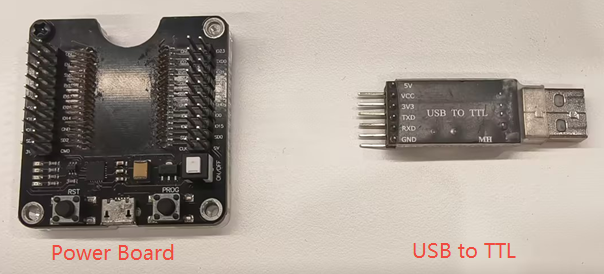
When using the
UART0pins to download firmware, the following wiring conditions must be met to satisfy the hardware requirements forchip power supply,power-on boot, andentering download mode.ESP32-S31 3.3V External Power Serial Debug Tool 3V3 VDD GND GND GND EN VDD GPIO61 (Pulled low, default is weak pull-up)GND GPIO60 (Can be pulled high or left floating, default is weak pull-up)VDD TXD0 (GPIO58) RXD RXD0 (GPIO59) TXD -
To flash firmware over
USBon a custom ESP32-S31 design, prepare:- 3.3V power supply
- USB cable
- DuPont wires
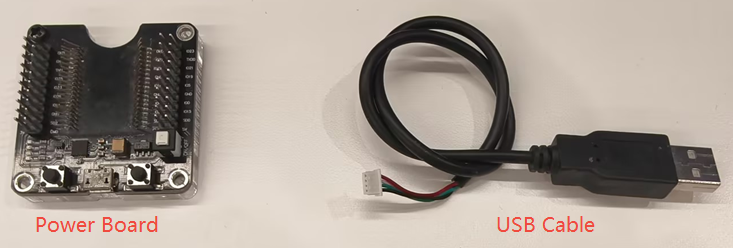
When using the
USB HS OTGpins to download firmware, the following wiring conditions must be met to satisfy the hardware requirements forchip power supply,power-on boot, andentering download mode.ESP32-S31 3.3V External Power USB Cable 3V3 VDD GND GND GND EN VDD GPIO61 (Pulled low, default is weak pull-up)GND GPIO60 (Can be pulled high or left floating, default is weak pull-up)VDD USB_DM USB_D- (White) USB_DP USB_D+ (Green) When using the
USB_SERIAL_JTAGpins to download firmware, the following wiring conditions must be met to satisfy the hardware requirements forchip power supply,power-on boot, andentering download mode.ESP32-S31 3.3V External Power USB Cable 3V3 VDD GND GND GND EN VDD GPIO61 (Pulled low, default is weak pull-up)GND GPIO60 (Can be pulled high or left floating, default is weak pull-up)VDD GPIO33 USB_D- (White) GPIO34 USB_D+ (Green) -
When using an ESP32-S31 development board, connect a USB Type-C cable to the USB-UART port to flash firmware. If you flash over USB for the first time, hold the Boot button and power on the board to enter download mode manually.
[!NOTE] During chip power-up, GPIO60 and GPIO61 must not both be driven low (that is, GPIO60 = 0 and GPIO61 = 0). These pins state combination will cause the chip to exhibit unexpected behavior. Ensure that this combination is avoided in the hardware design.
Boot Log
After power-on, use a serial terminal on UART0 to check whether the chip entered download mode. If it did, UART0 prints:
ESP-ROM:esp32s31-20251218
Build:Dec 18 2025
rst:0x1 (POWERON),boot:0x69 (DOWNLOAD(USB/UART0/SPI))
waiting for download

[!NOTE]
- If no log appears after power-on, toggle
CHIP_PU(EN) low and then high to trigger a reset.- You can also read Strapping pin levels from the boot log. See ESP32-S31 Boot Log.
On the host side, Espressif provides the Flash Download Tool for writing firmware (.bin) to flash. See the Flash Download Tool User Guide.
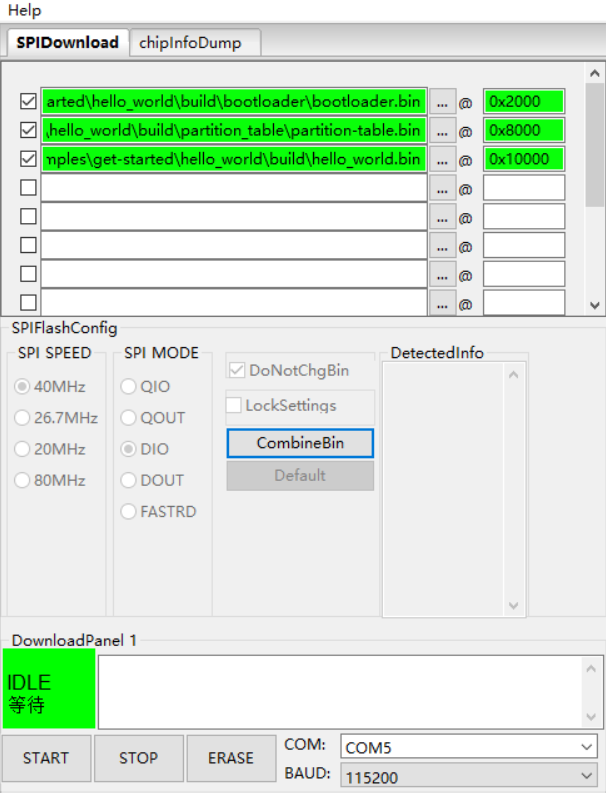
After flashing, pull GPIO61 high (the default state) and reset the chip by toggling CHIP_PU (EN) to boot from flash. Use a serial monitor on UART0 to verify that the application is running.