Flashing Tools
Espressif provides the following tools for flashing firmware to ESP devices:
-
Web-based tool: ESP Launchpad — Flash prebuilt firmware from a browser without setting up a local development environment.
-
PC-based mass production tool: Flash Download Tool — Graphical Windows tool for production-line deployment and batch flashing.
-
ESP-IDF command line:
idf.py— Build, flash, and monitor ESP-IDF projects from the terminal. -
Open-source Python tool: esptool — Cross-platform command-line utility for scripting and advanced flash operations.
-
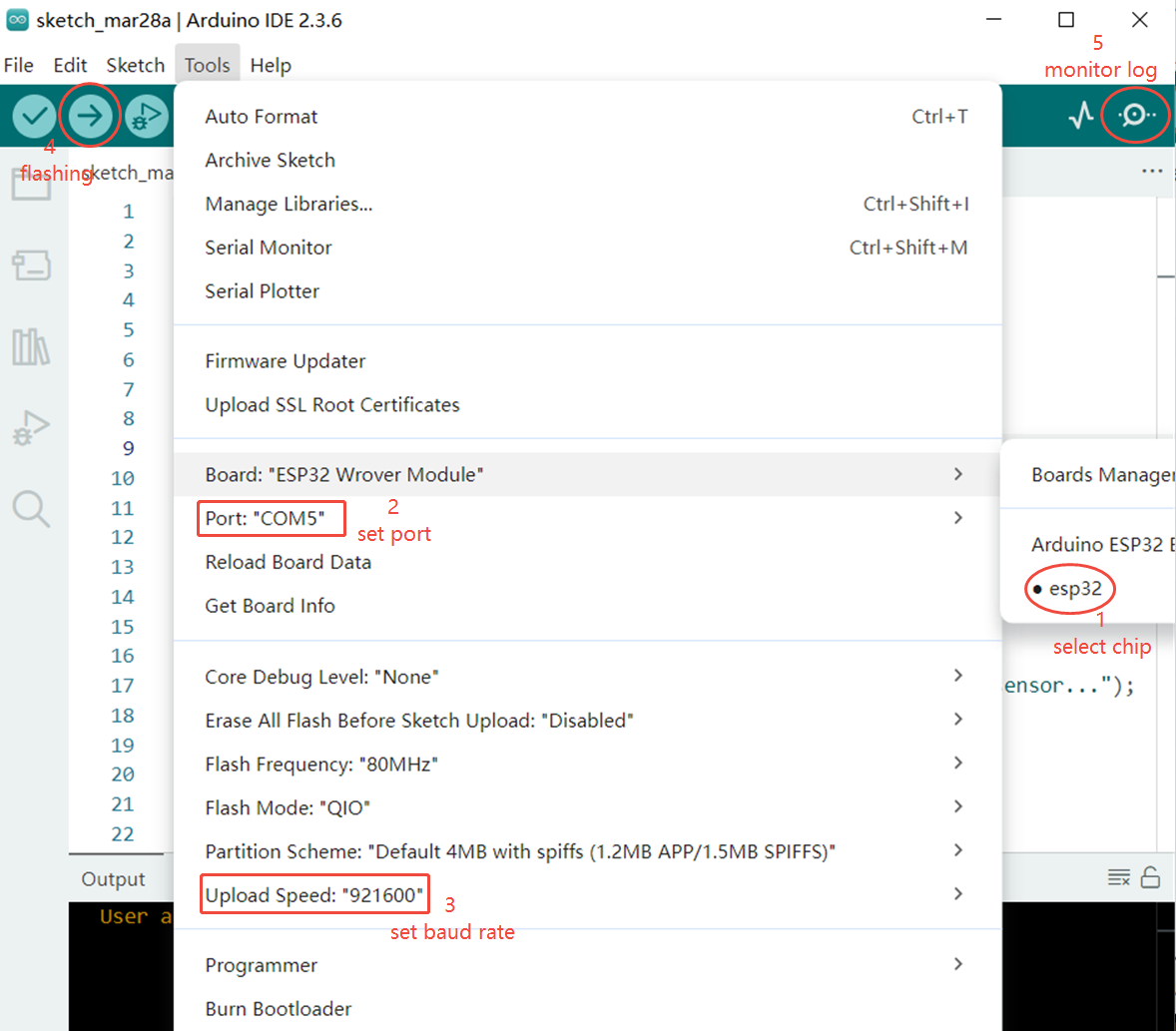
IDE integration: VS Code, Espressif-IDE (Eclipse), and Arduino IDE
Preparation
Before flashing firmware, make sure you understand the hardware requirements for entering download mode. See ESP Product Firmware Flashing Instructions.
ESP Launchpad
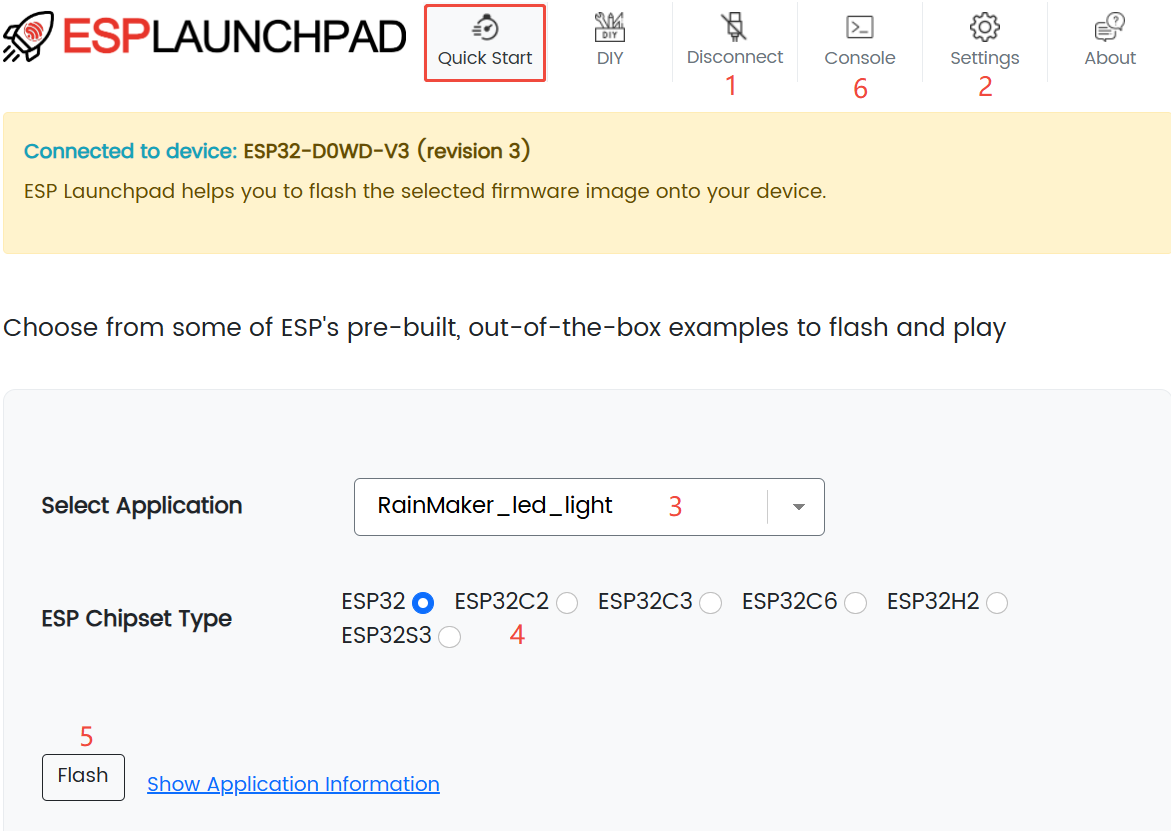
ESP Launchpad is a web-based firmware flashing platform from Espressif. It flashes precompiled firmware to ESP devices without a local development environment. Open the page in a browser to use it.
ESP Launchpad provides built-in binary firmware that you can flash directly to ESP devices for testing:
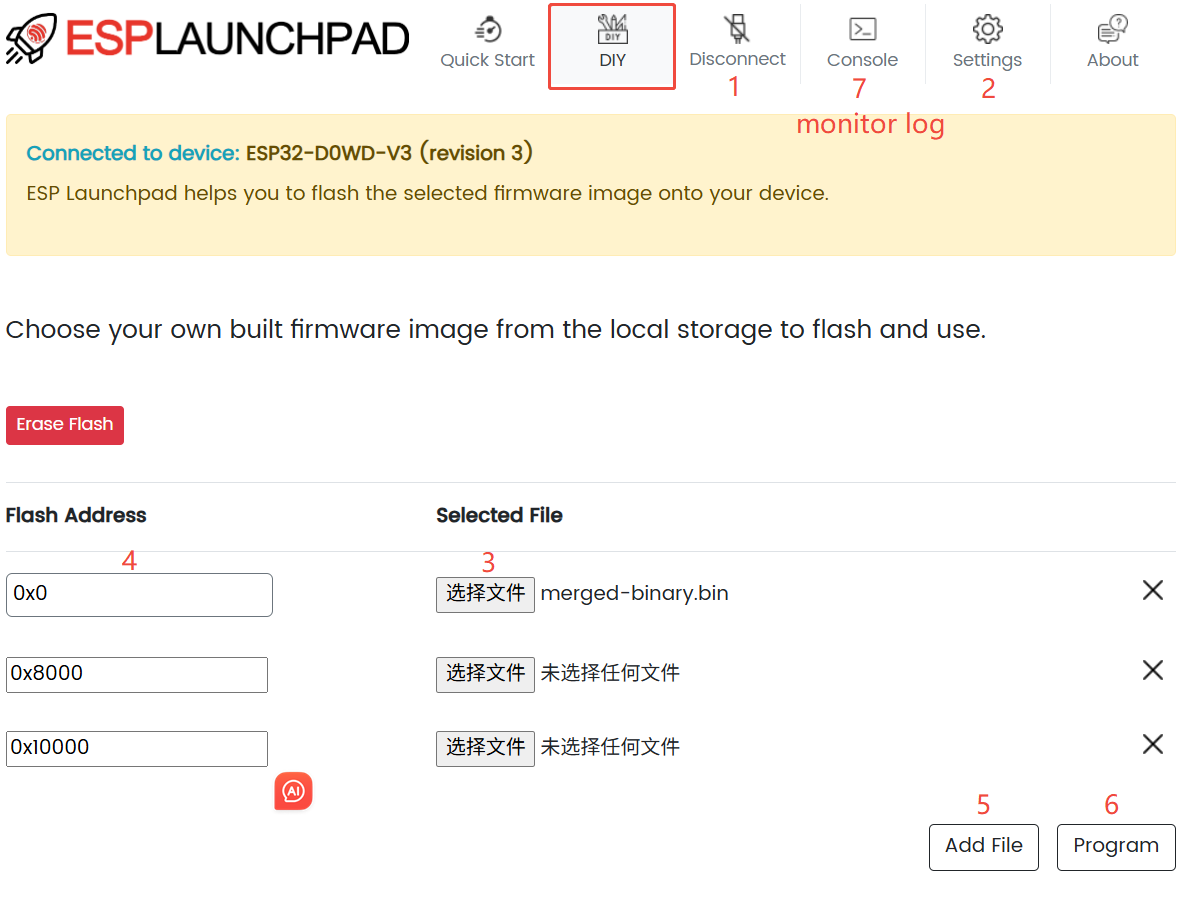
It also supports uploading your own local binary firmware:
Flash Download Tool
The Flash Download Tool is a Windows-based flashing tool from Espressif. It writes precompiled firmware (.bin files) to ESP flash and supports reading chip information, flash contents, and eFuses.
- Download the Flash Download Tool
The tool supports two modes:
- Develop mode: Single-device flashing with full configuration options.
- Factory mode: Simultaneous flashing of multiple devices with a simplified interface.
For details, see the Flash Download Tool User Guide.
Espressif also provides flashing and production testing tools to help deploy batch flashing environments quickly. For hardware selection, see Production Testing Equipment.
idf.py
idf.py is the ESP-IDF command-line tool for project configuration, building, flashing, and debugging. It wraps tools such as CMake, Ninja, and esptool. Set up the ESP-IDF environment first.
- Environment setup: Environment Setup
- Usage: IDF Frontend Tool — idf.py
[!NOTE] Run
idf.pyin an ESP-IDF project directory that containsCMakeLists.txt.
Common commands:
- Project configuration:
idf.py menuconfig - Build project:
idf.py build - Flash project:
idf.py flash - Monitor serial output:
idf.py monitor - Build, flash, and monitor:
idf.py flash monitor
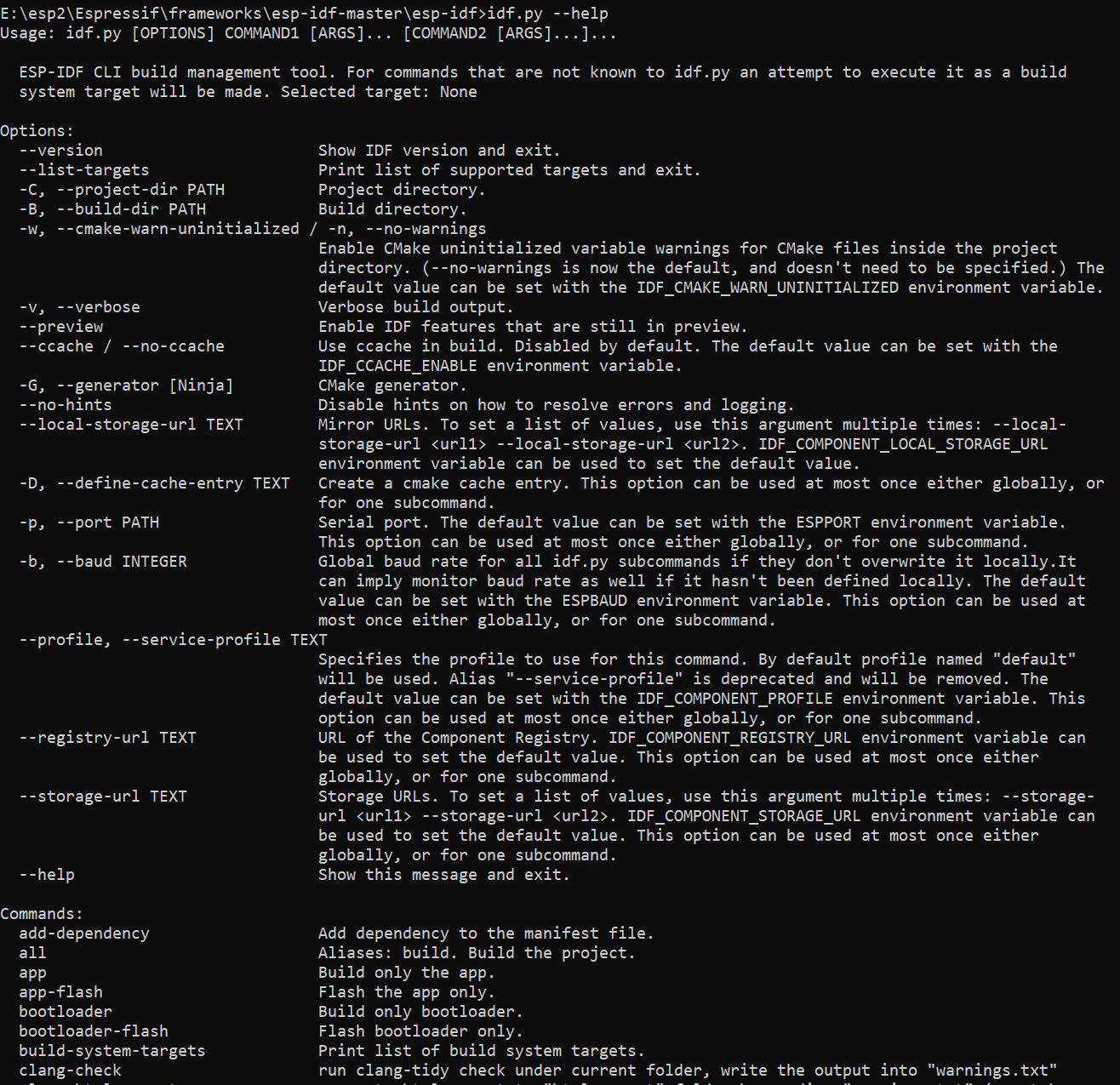
Run idf.py --help in the ESP-IDF environment to see all supported commands:
esptool
esptool is Espressif's open-source, cross-platform Python command-line tool for Windows, macOS, and Linux. It supports scripting and integration into automated workflows.
esptool includes three utilities:
esptool.py— Flash firmware and interact with the chip over a serial port (ROM bootloader or flasher stub).espefuse.py— Read, write, and protect eFuses.espsecure.py— Signing and encryption operations for Secure Boot, flash encryption, and related security features.
Installing esptool
Windows
- Download esptool from esptool releases > Assets.
- Extract the package.
- Press
Win + R, typecmd, and press Enter to open a terminal. cdto the package directory and runesptool.exe --help,espefuse.exe --help, andespsecure.exe --help.
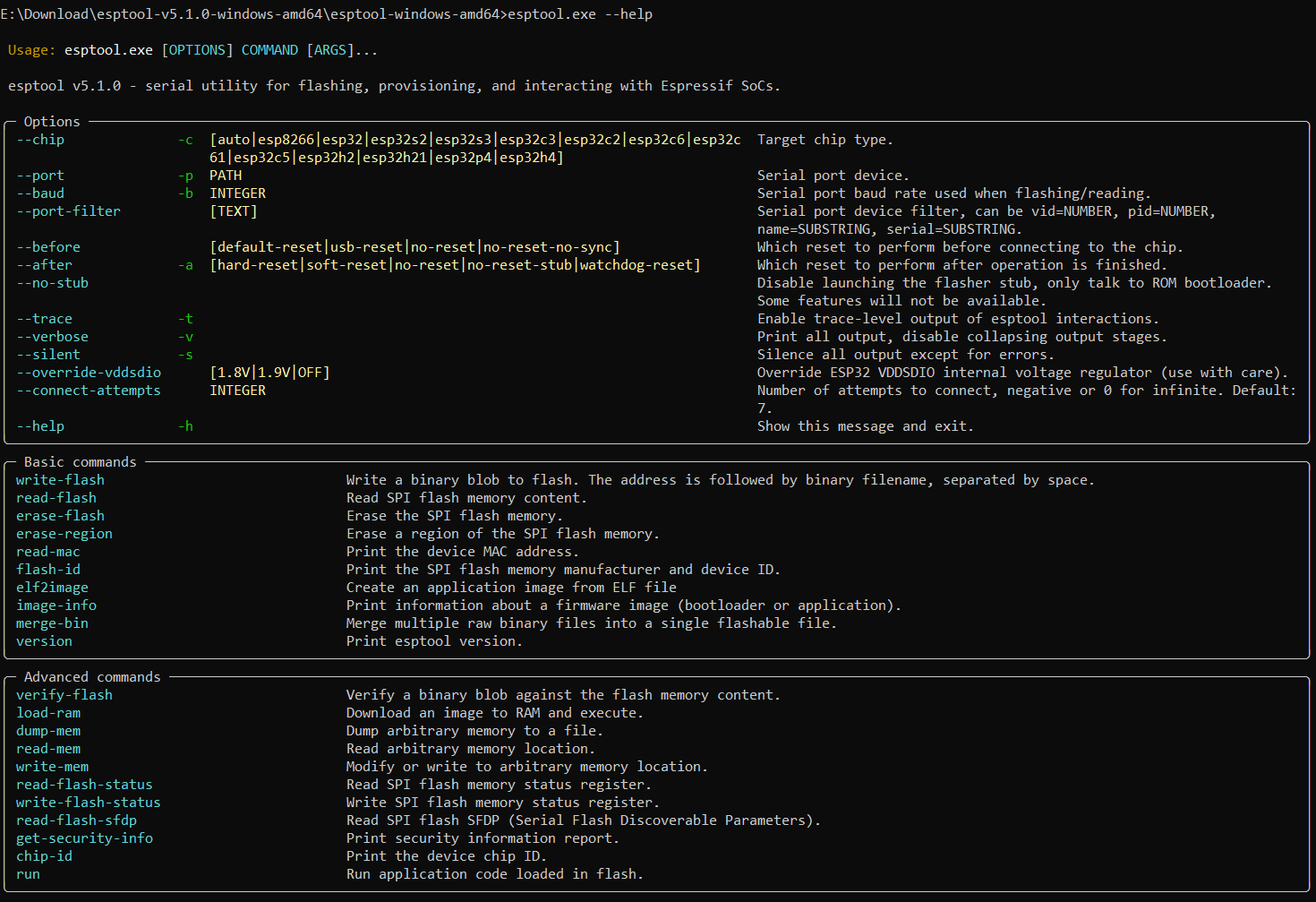
Linux
- Open a terminal.
- Install with
python -m pip install esptool. - Run
esptool.py --help,espefuse.py --help, andespsecure.py --help.
Common esptool commands
- Flash firmware:
esptool.py write_flash 0x0 app.bin - Read flash:
esptool.py read_flash 0x0 0x20000 app.bin - Read eFuses:
espefuse.py -p COM* summary - Generate a Secure Boot signing key:
espsecure.py generate_signing_key secure_boot_signing_key.pem --version 2
Flashing from an IDE
VS Code
To flash from VS Code, install the ESP-IDF extension. See Install ESP-IDF and Tools.
The ESP-IDF extension provides a graphical workflow equivalent to idf.py commands:
- Project configuration: SDK Configuration Editor ≈
idf.py menuconfig - Build project:
idf.py build - Flash project:
idf.py flash - Monitor serial output:
idf.py monitor - Build, flash, and monitor:
idf.py flash monitor

For details, see Flash the Device.
Espressif-IDE (Eclipse)
Espressif-IDE is the official Eclipse CDT-based IDE for ESP-IDF development on ESP chips. It includes ESP-IDF Eclipse plugins, Eclipse CDT plugins, and other third-party helpers, and runs on Windows, macOS, and Linux.
Arduino IDE
ESP32 development in Arduino IDE uses Espressif's arduino-esp32 core. It exposes ESP32 chips as Arduino board targets so you can use the Arduino API while accessing some ESP-IDF features underneath.
Reference:
- Environment setup example: Install ESP32 Arduino on Windows