
ESP-Now You Draw I Guess
This content is AI-translated and may differ from the original.
ESP-NOW Dual-Screen Sync (ESP32-S31-Korvo-1)
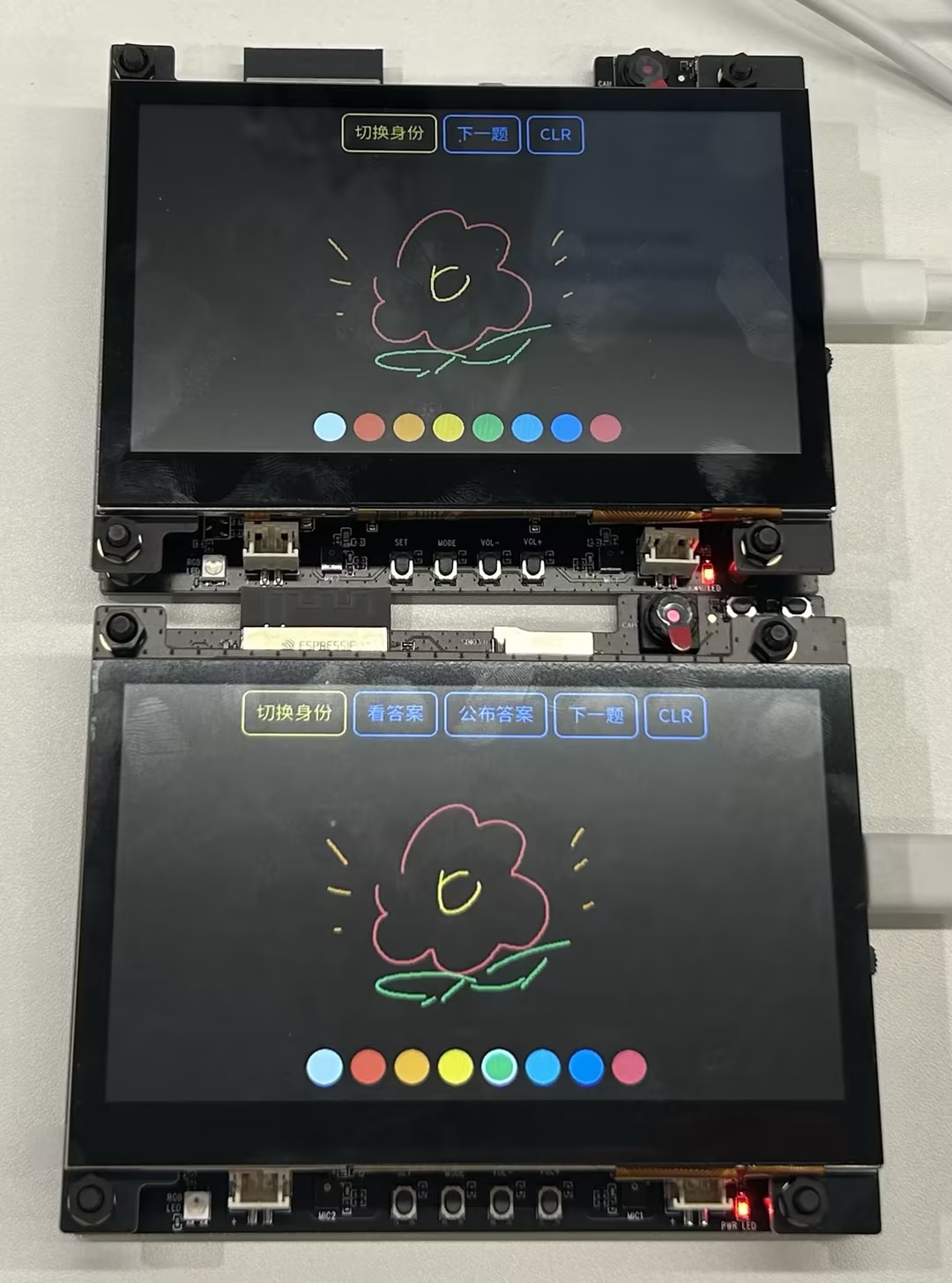
Two ESP32-S31-Korvo-1 boards each drive a 4.3" 800×480 RGB LCD + GT1151 touch screen, using ESP-NOW to mirror handwritten strokes in real time: drawing a line on any screen will cause the other screen to synchronously draw the same strokes; clicking the top‑right CLR button can clear both screens simultaneously.
Flash the same firmware to both boards (on the same Wi‑Fi channel) and it works, no pairing needed—both sides automatically intercommunicate via broadcast peers.
Important: ESP-IDF Version
The chip on this board is ESP32-S31 (esp32s31 target). Most released ESP-IDF versions currently do not include the esp32s31 target, and the official esp-dev-kits also indicate that this board “is recommended to develop using the ESP-IDF master branch.”
Therefore this project must be compiled with an ESP-IDF that supports esp32s31 (master, or a later version that officially adds this target). Executing idf.py set-target esp32s31 on a version that does not support this target will report that the target does not exist.
Obtain and install master:
git clone -b master --recursive https://github.com/espressif/esp-idf.git ~/esp/esp-idf-master
cd ~/esp/esp-idf-master && ./install.sh esp32s31
. ./export.sh
Hardware Requirements
- 2 × ESP32-S31-Korvo-1 (V1.1), includes 4.3" LCD sub‑board
ESP32-S3-LCD-EV-Board-SUB3 - Module ESP32-S31-WROOM-3: 16 MB Flash + 16 MB PSRAM
- Screen: 800×480 RGB565 parallel interface; Touch: GT1151 (I2C)
Software Design
| File | Responsibility |
|---|---|
main/app_main.c | Initialize BSP screen/touch/LVGL, chain drawing with ESP-NOW |
main/espnow_link.[ch] | Wi‑Fi STA + fixed channel + broadcast peer send/receive wrapper |
main/draw_sync.[ch] | Full‑screen LVGL canvas, touch capture, remote stroke drawing queue |
main/Kconfig.projbuild | Configurable items such as channel, line width, etc. |
Key points:
- Local strokes are drawn immediately to the canvas within the LVGL task (touch event callback) and broadcast via ESP‑NOW a line segment message
{x0,y0,x1,y1}. - Remote strokes are enqueued in the ESP‑NOW receive callback (Wi‑Fi task) and drawn by a separate task after acquiring
bsp_display_lock(LVGL is not thread‑safe). - Drawing only invalidates the stroke bounding box (instead of the whole screen), avoiding full‑screen refresh for each small segment on the 800×480 RGB display.
- Canvas buffer (800×480×2 ≈ 768 KB) is allocated in PSRAM.
- Screen display and ESP‑NOW share a fixed channel (default 1, see
menuconfig); both boards must use the same channel.
All drawing/touch operations use the official BSP espressif/esp32_s31_korvo_1 unified interface (bsp_display_start/lock/unlock), so the code is decoupled from specific screen/touch models; the BSP provides the RGB LCD driver, GT1151 touch, esp_lvgl_port, and LVGL 9.
Build and Flash
# Load the IDF that supports esp32s31 (see above)
. ~/esp/esp-idf-master/export.sh

cd espnow_dualscreen

idf.py set-target esp32s31

# Optional: modify ESP-NOW channel / line width, and confirm PSRAM mode/rate
idf.py menuconfig   # -> "ESP-NOW Dual-Screen Sync" / "ESP PSRAM"

# First board
idf.py -p <PORT_A> flash monitor
# Second board, flash the same firmware
idf.py -p <PORT_B> flash monitor
The first build will download the BSP and its dependencies via the component manager over the network; please ensure network connectivity.
Comments (0)
Comments
Sign in to leave a comment